FaxFree: Send Faxes from Phone
- 4.4
- Rating
- 500.00K
- Installs
- Free
- Price
 Analysis by App-foxy
When a fax request arrives unexpectedly, the hardest part is often not the document itself. It is finding a machine, checking whether it works, locating the right paper, and waiting around for a task that may take only a few minutes. I found that FaxFree: Send Faxes from Phone is most useful when I treat it as a small part of a broader paperwork routine rather than as an app I open only in an emergency. It gives me a way to handle faxing from a mobile device, which can remove a surprisingly awkward step from everyday business administration.
Developed by BP Mobile LLC, this free business app is aimed at people who occasionally need to send or receive faxes without keeping a dedicated fax machine nearby. It has been available since September 22, 2017, and the current version is 2.10.1. The app is rated for Everyone, so its basic purpose is straightforward enough for a wide range of users, although the documents handled through it may still contain sensitive personal or business information.
Turning an old paperwork task into a manageable phone routine
I find the most useful way to approach faxing from a phone is to make it a deliberate last step, not a rushed fix. A short check of the recipient, page order, and final document can prevent avoidable rework, especially when the request arrives between other tasks. That practical routine sets up the next section: how to make mobile faxing feel manageable without letting paperwork sprawl across the phone.
You May Also Like

 Blood Strike: 2.5 Anniversary
Blood Strike’s Loadouts Turn Every Drop Into a Tactical Gamble
A close look at Blood Strike’s custom loadouts: how fast access to signature weapons reshapes its battle royale rhythm, rewards preparation, and narrows the gap between fights.

 Pandora - Music & Podcasts
Pandora’s Music Is Easy to Start, but Harder to Recover
Pandora’s strength is its low-effort path from a seed to a station. Its weak spot is how much confidence it asks you to place in connection, setup, and quiet recovery.

 8 Ball Pool
 Is Built on Rivalries, Rematches, and Routine
A close look at the rivalries, rematches, shared routines, and unanswered safety questions that turn a quick pool match into a persistent mobile community.

 Samsung Music
’s Quiet Strength Is Playing What You Already Own
Its reach comes less from spectacle than from dependable access to a personal library. That simplicity is both the app’s strongest retention engine and its ceiling.

 AccuWeather: Weather Radar
AccuWeather Review: A Quick, Clear Forecast for Everyday Decisions
For everyday plans, the best forecast is the one you can understand quickly. AccuWeather makes rain timing, radar, and local conditions easy to act on, with a few trade-offs.

 Hill Climb Racing
Why Hill Climb Racing Still Turns Crashes Into One More Run
A tiny car, a bumpy hill and one more upgrade: Hill Climb Racing keeps resurfacing because its simple chaos makes every near-miss feel personal.
More From Our News Desk



Start with the workflow before opening the app
My best results came when I prepared the job before launching FaxFree. That sounds obvious, but it makes a real difference. I first identify the exact recipient, collect every page that belongs in the transmission, and decide whether a cover page or a short note is needed. This prevents the common mistake of opening a fax tool with half the paperwork scattered across email, cloud storage, and a desk.
The app is not a replacement for deciding what should be sent. It is a delivery step. If I use it as the final stage of a simple process—prepare, review, send, confirm, file—the experience feels much more controlled. If I use it as a place to improvise while searching for documents, the phone becomes another source of clutter.
A practical example is a small business owner responding to a signed form. Instead of printing the form, finding a public machine, and carrying the pages across town, the owner can prepare the document on the phone and use FaxFree when the paperwork is ready. The real benefit is not just speed. It is avoiding an unnecessary physical detour for a task that still exists mainly because another organization expects a fax.
I also recommend keeping the original document easy to find until the transmission has been dealt with. A fax workflow can involve more than pressing send: you may need to correct a page, resend a clearer copy, or show which version was used. Treating the source file as part of the process makes the app more useful for repeat work.
Capture documents with organization in mind
Mobile faxing is only as reliable as the document you feed into it. A blurry photograph, a page cut off at the edge, or a form photographed under a strong shadow can create problems even when the sending process itself goes smoothly. I take a moment to check that every corner is visible and that small text remains readable before I consider the document ready.
This is one of the less obvious trade-offs of using a phone. The convenience of not needing a scanner also means the quality of the capture depends on lighting, positioning, and the condition of the original page. A clean digital file is usually the easiest starting point. When I have to work from paper, I place it on a flat, uncluttered surface and review each page rather than assuming the camera captured everything correctly.
Organization matters just as much. I avoid sending a document immediately after downloading it if I have not checked its filename or contents. A sensible naming habit—such as including the recipient and purpose—makes it easier to distinguish an unsigned form from the final version. FaxFree can help complete the transmission, but it cannot rescue a disorganized document collection.
For multi-page paperwork, I think in terms of a packet. I check the order, remove unrelated pages, and make sure the recipient can understand where the document begins and ends. This is particularly useful for invoices, applications, and forms that include instructions on a separate page. Sending the right pages in the wrong order can create more delay than using a physical fax machine would have.
Another useful habit is to separate urgent work from routine archiving. I keep a temporary “ready to send” area on my phone, then move the final source document into its normal storage location after the fax task is complete. That keeps the mobile workflow quick without turning the app into a permanent filing cabinet.
Build a repeatable routine instead of relying on memory
Faxing is often infrequent, which makes it easy to forget small steps between uses. I find a short checklist more valuable than trying to remember the entire process. Before sending, I confirm the recipient details, inspect the pages, check whether a note is needed, and make sure I am using the final version. After sending, I record what was sent and when.
That last step is important for anyone handling business paperwork. A quick note in an existing task or calendar system can prevent a second transmission of the wrong version. It also gives me a reminder to follow up if the recipient needs anything else. FaxFree handles the faxing part, while the surrounding routine provides the accountability.
For recurring documents, I use a stable preparation pattern. I keep a blank template in an easy-to-reach location, complete it carefully, review the completed fields, and only then move to the fax stage. This reduces the temptation to send a form while one signature or attachment is still missing. The app becomes the final checkpoint in a reliable sequence rather than a last-minute gamble.
It is also worth deciding in advance how the recipient will respond. Some organizations may call, email, or send another fax. If the task is time-sensitive, I leave myself a clear follow-up reminder rather than assuming that a successful transmission ends the matter. That approach is especially helpful when faxing is being used for applications, authorizations, or administrative requests.
FaxFree is free to install, but in-app purchases range from $4.99 to $59.99 per item. I would therefore treat the app as a convenient access point whose cost should be checked before committing to a larger or repeated job. Someone who faxes only once may view the convenience differently from a business that sends documents regularly. The important point is to understand the purchase flow before an urgent transmission, not while under pressure.
Where the mobile approach works better than the usual alternatives
The traditional alternative is a physical fax machine, either at an office or through a shop that offers document services. That option can be sensible when a company already owns the equipment, needs frequent high-volume faxing, or has a controlled process for storing and checking paper. For occasional users, however, the machine introduces travel, queues, paper handling, and dependence on a specific location.
Email is usually easier for ordinary documents, but it is not always accepted by the organization requesting the paperwork. FaxFree is useful in that narrow gap: the document is digital or can be captured digitally, while the recipient still expects a fax. I would not choose it just because faxing sounds more formal. I would choose it when the recipient’s process genuinely requires fax delivery.
A dedicated online fax service may be a better fit for a team that needs shared administration, predictable business controls, or a larger document workflow. FaxFree feels more appropriate for an individual or small operation that wants a phone-based option without maintaining a machine. The trade-off is convenience versus the broader management features a specialized service may provide.
Printing and scanning can still be preferable when the document must be reviewed physically, signed with a particular method, or retained as a paper record. A phone is not automatically the best tool for every document. I see FaxFree as strongest when the paperwork is already digital or can be captured clearly and the main obstacle is getting it to a fax-only recipient.
Failure points I would plan for
The first failure point is document quality. A transmission can be completed while the recipient still struggles to read it. Reviewing the actual pages before sending is more important than trusting the appearance of a thumbnail. I pay special attention to signatures, small numbers, checkboxes, and faint text because those details are often the reason a form gets rejected.
The second is recipient accuracy. A fax number is not something I would enter casually, especially when several departments use similar details. I compare it with the latest instruction from the recipient and keep the organization’s name beside it in my notes. A polished mobile workflow cannot compensate for sending confidential paperwork to the wrong destination.
The third is the cost of urgency. Because the app is free to download but offers paid in-app items, I would not wait until a deadline to discover how a particular transmission is charged. If the fax is important, I prepare the document early enough to review the available purchase option calmly. That is a small but meaningful part of sustainable productivity: removing surprises before they become emergencies.
Privacy is another reason to slow down. Faxing from a personal phone may be convenient, but the device itself still deserves ordinary care. I avoid leaving sensitive pages open in recent screens, delete accidental duplicates, and keep the source document in the correct secure location. These are not special features of FaxFree; they are responsible habits around any mobile paperwork.
I would also keep an alternative plan for genuinely critical documents. A physical fax machine or established office service may be preferable when the deadline is strict, the document is unusually long, or the organization requires a particular confirmation process. FaxFree can reduce friction, but no mobile app should be treated as the only possible route for paperwork that affects a major financial, legal, medical, or employment decision.
Who will get the most value from it?
I think FaxFree is a good match for freelancers, small business owners, remote workers, caregivers, and anyone who receives occasional fax requests away from a traditional office. It is especially practical for people who already keep their forms and correspondence on a phone and do not want to print a document merely to send it through an old-fashioned channel.
It can also help someone who works from several locations. A mobile workflow means the fax task does not have to wait until returning to an office, provided the document is ready and the user is comfortable with the purchase terms. That flexibility is the app’s clearest everyday strength.
I would be more cautious about recommending it as the central fax system for a department with many users or a heavy stream of documents. In that setting, a dedicated business service or established office setup may make tracking, access, and repeat processing easier. FaxFree is best understood as an accessible individual tool, not automatically as a complete records-management system.
The same applies to people who dislike handling documents on a phone. If you regularly need to inspect tiny print, assemble large packets, or maintain paper copies, a desktop scanner and office fax arrangement may be less frustrating. The app removes the need for a machine, but it does not remove the need for careful document preparation.
My overall experience with the app
With an average rating of 4.1 from around 5.2 thousand ratings and more than 500 thousand installs, FaxFree has clearly found an audience among people who need this specific kind of convenience. Those figures do not change my own practical conclusion: the app is valuable when it solves a real logistical problem, not when it is used as a substitute for organizing paperwork.
I like the basic idea because it fits a modern working habit while accommodating an older communication requirement. The app lets the phone serve as the bridge between digital documents and fax-dependent organizations. That is a focused purpose, and it is more useful than pretending faxing has disappeared simply because email is more common.
My main reservation is that the surrounding process still matters enormously. Capture quality, page order, recipient accuracy, cost awareness, and record keeping all remain the user’s responsibility. Anyone expecting the app alone to guarantee a perfect administrative workflow may be disappointed. Anyone willing to build a short checklist around it will probably find it much more dependable.
For me, the strongest recommendation is conditional: choose FaxFree when you need occasional fax access from a phone, want to avoid a physical machine, and are prepared to review the document and purchase details before sending. Skip it in favor of a more structured alternative when faxing is a high-volume team operation or when your organization requires formal document controls. Used in the right place, FaxFree turns an inconvenient one-off task into a repeatable mobile step, and that is a worthwhile improvement for anyone still dealing with fax-only paperwork.
FAQs for FaxFree: Send Faxes from Phone
01How do I send a fax using FaxFree?
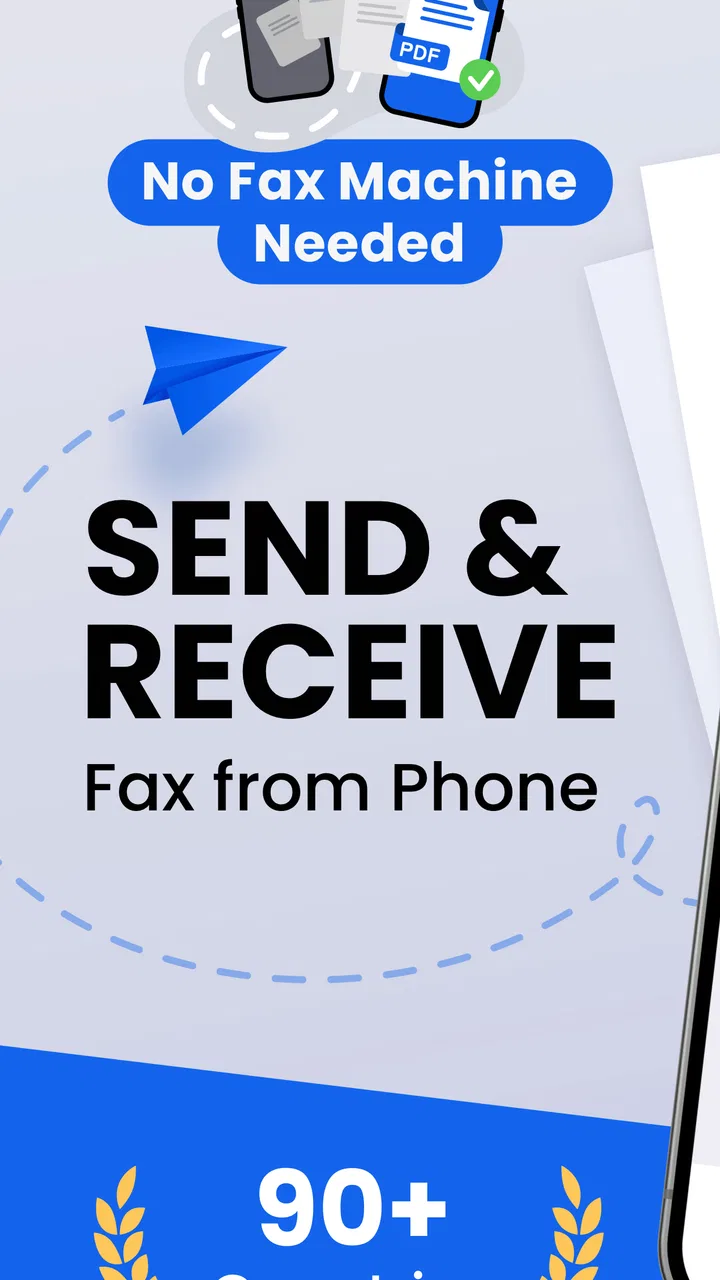
Sending a fax with FaxFree is straightforward. Simply open the app, upload the document you wish to fax, enter the recipient's fax number, and hit send. The app supports various file formats, including PDFs and images, making it versatile for different needs. An internet connection is required to transmit your fax.
02Is FaxFree really free to use?
FaxFree offers a limited number of free faxes per month. However, if you need to send more than the allocated free faxes, you can purchase additional credits or subscribe to a premium plan. The free version is sufficient for occasional users, while frequent users might benefit from the paid options.
03What file formats are supported by FaxFree?
FaxFree supports a wide range of file formats, including PDFs, JPEGs, and PNGs. This flexibility allows users to easily fax documents, photos, and more directly from their phone. You can also scan documents using your phone’s camera and send them as faxes through the app.
04Is my data secure with FaxFree?
Yes, FaxFree uses encryption to protect your data during transmission. The app prioritizes user privacy and ensures that all documents are securely sent and stored. However, it's always a good practice to review the app’s privacy policy and terms of service for detailed information on data handling.
05Can I receive faxes with FaxFree?
FaxFree primarily focuses on sending faxes. However, to receive faxes, you may need to explore additional services or features that might involve extra costs. It’s essential to check within the app or contact customer support for details on receiving faxes, as this feature might not be available in the basic version.
Pros
- Easy to use interface for quick faxing.
- Supports multiple file formats for uploads.
- No need for a physical fax machine.
- Affordable subscription options available.
- Secure transmission ensures privacy.
Cons
- Limited free faxes per month.
- Requires internet connection to send.
- Occasional app crashes reported.
- Subscription auto-renews by default.
- Ads in free version can be intrusive.

FaxFree: Send Faxes from Phone
Gallery